Pages

Search This Blog

Saturday, June 23, 2012

Apple's World Wide Developer's Conference (WWDC)


One of my colleagues, and one of our top software developers/architects attended the 2012 Apple Worldwide Developers conference in San Francisco.

This conference is so popular it sold out within 20 minutes of the announcement.

It is the most popular travel destination for anyone interested in technology !

Luckily, Scott Newman is very nimble and he secured a spot to represent National Geographic.

Much of what was discussed at the conference is under a tight Non-Disclosure Agreement (NDA), so it cannot be discussed here,  but Scott has summarized the highlights from the Monday keynote address which is available in the public domain.

Below are the highlights from Scott:


Apple's 23rd Worldwide Developer Conference was held in San Francisco, California, from June 11-15, 2012. Apple's latest operating system for iPhone and iPad, iOS6, was announced. The 8th major release of the desktop operating system, OSX 10.8 "Mountain Lion" was also announced. National Geographic took home an Apple Design Award in the iPhone category for the National Parks Application.

iOS Adoption

iOS 5, the most recent version of the iPad and iPhone operating system, has an 80% adoption rate in 9 months. The latest version of the Android OS, 4.0 "Ice Cream Sandwich" has a 7% adoption rate in the same time period. (VP Scott Forstall referred to it as "Google's Dairy Product")

iOS6

The latest version of the iOS will be released around September. (It will not be available on iPad 1st-gen devices) Overall, this could be considered a minor incremental release with more "under the hood" changes for developers. While there aren't many visible enhancements for users, they will undoubtedly benefit from the 3rd party app developers who are better equipped to develop very stable applications more quickly than before.


Mountain Lion

Apple's latest desktop operating system, OSX 10.8 "Mountain Lion" is scheduled to be released in July. High-level feature enhancements include better iCloud integration with iOS devices, improvements to the mail client, a notification system to better control pop-up messages, Game Center support for desktop gaming (and compatible with iOS-based Game Center titles), Power Nap (which will let certain background processes run while the computer is asleep), and built-in diction support for all text-input. (Wherever you can type, you can dictate - applications will not have to be rebuilt to support this feature)

Safari Improvements

Safari 6.0 will be released with Mountain Lion and a developer preview is currently available. Performance improvements to the Javascript Engine ("Nitro") were announced, some HTML5 Audio and Video improvements, and an "iCloud Tabs" feature that will allow a user to share open tabs between desktop and iOS devices. (for example, on your iPhone you can view all the tabs you have open on your desktop)

Siri Enhancements for iOS6

Siri, the voice-controlled personal assistant, will be available on the iPad 3rd-generation with iOS6. In addition to enhanced local search reviews from Yelp, users will be able to get sports and movie information via voice search. No developer API for Siri was announced.

Social Media Integration with iOS6

In addition to the built-in Twitter functionality, (released with iOS5) Facebook and Sina Weibo (a Chinese social network) will also have built-in support for sharing. This will make it easier for apps to leverage social sharing without having to add and configure additional software libraries, and users won't have to keep re-entering their credentials when they want to share via these services.

Map Updates for iOS6

Apple has replaced Google maps with their own technologies featuring vector tiles, Yelp integration, and 3D maps. Turn-by-turn route guidance with Siri support is also available. These features are available in iOS6 only. Traffic information is being anonymously "crowd sourced" to help provide realtime traffic data based on the current speeds of devices with the Maps application open. There are 3D maps available for iPhone 4S and iPad 3rd-gen devices with a "flyover" feature that allows rotation and panning in 3D space.

PassBook for iOS6

There is now a built-in application to manage a collection of tickets, cards, passes, and coupons. 3rd party apps can design their own content to go into this application. The content will be available from the lock screen for quick access via time-baed or geofence activation. (for example, your Starbucks card can pop up automatically when you enter a Starbucks location or your train ticket will pop up as the boarding time approaches)


Photo Enhancements for iOS6

You can now share your photo stream with other users. (Via iOS or the web) It is now possible to add photos to email messages in-line. (instead of having to start a new email to send a photo) Photo uploads are now available in Mobile Safari with the <input type="file"> tag. This is great for mobile web applications that want to allow user-submitted content without having to deploy a native application.

Privacy Enhancements for iOS6

Applications will now have to ask for explicit permission to access photos, contacts, calendars, and reminders. (Previously, granting permission for location allowed photo library access) These permissions are individually revokable by the user via the standard settings application.

VIP, Do Not Disturb, and Call Rejection Features in iOS6

A new feature in iOS6 is the ability to designate certain contacts as "VIPs". There is a separate VIP Inbox in the mail client and customizable notifications. Another interesting feature is "Do Not Disturb", which will prevent all incoming calls, messages, notifications, etc. during the hours you specify and/or on-demand via the settings application. Items will still arrive, but no sounds will be emitted and the screen will not light up (a great feature for nighttime) during these periods. There is a customizable whitelist of contacts that can bypass these restrictions and the ability to set a 3-call bypass. (If someone calls 3 times in a row, they can get through). Incoming calls on iOS6 will now display a "reject call" button that will allow you to automatically send a canned response to the caller. (Such as "In Meeting, Will Call Back Later")
FaceTime for iOS

One notable enhancement is that FaceTime video chat will now be available over cellular networks instead of wifi-only.

Apple TV 

Despite persistent rumors leading up to the conference, nothing was publicly announced related to the Apple TV.

Apple Design Award

National Geographic won an Apple Design Award in the iPhone category for the National Parks application.


Retina Macbook Pro

The first high-density display (Retina) Macbook Pro was announced. The 15" screen packs a 2880x1800 pixels. USB 3 and Thunderbolt are both supported. (and the USB port is universal, there is no separate port for USB3)


Public Note: The information above was discussed during the Monday keynote address and is not covered by NDA. No Apple confidential material is discussed above.

Saturday, June 16, 2012

IBM CMO+CIO Leadership Exchange

My colleague and I, Amy Maniatis, Chief Marketing Officer at National Geographic, had the pleasure of attending IBM's, by invitation, Leadership Exchange for CMO's and CIO's. 


It was an enlightening and inspirational few days mixing with colleagues from companies in numerous industries, but all facing similar challenges.  It highlighted the importance of CMO's and CIO/CTO's partnering closely in today's fast paced and fast changing environments.


Below is our report on the experience: 


 Hello Marketing & Tech teams! 


 Stavros and I had the opportunity to “step back” for the past day and ½ at IBM”s first ever CMO + CIO conference in NYC and it gave us an opportunity to take a 30K foot view at what we’re doing relevant to other large brands, get feedback from a formidable group of other CMO’s & CIO’s and hear from the most senior leadership at IBM about the future of “big data.” 


 Overall the conference confirmed that what we’re doing together on our brand and membership is RIGHT ON, (and if we’re wrong we’re in very good company with other enduring brands like Amex, Kaiser, Gap, Verizon, Aetna. 


 We both left yesterday feeling excited and charged about our strategic direction, and although we did not hear anything HUGELY new, the value in our time spent with this group was in the consistency with which CMO’s and CIO’s expressed their mandate across multiple industries. We left with strengthened resolve that what we are doing is right and is urgent. 


 Here are our notes, happy to share or discuss further. 


 • Staggering facts: 1 trillion connected devices in 3 years, today over 8X the world’s libraries are uploaded daily 


 • Customer Centricity: We’re all trying to move from a product centric to customer centric view - but we’re challenged by either management, culture, legacy or all three. We heard from companies as old or older than us, and they are all trying to do the same thing (Aetna, 160 yeas, CitiBank 200+ years, Amex, IBM 100 years) Terry Jones, founder of Kayak asserted customers expect a “1 to 1 relationship in EVERY industry.” He had a phone booth installed at Kayak that listened in on the customer service calls … his employee mandate was that employees had to spend a little time in the phone booth each day. 


 • Marketing and technology on frontline of revolutionary change


We’re at the beginning of a new “cognitive computing era” in technology and IBM describes this as the beginning of a 3rd (30 year) era preceeded by “mechanical computing era” (40’s 50’s 60’s) , then “programmable computing era” (70’s, 80’s & 90’s). This means the CIO & CMO’s objectives merge and they share spheres of accountability. Marketing systems are enterprise systems. In this era of data-driven marketing and digitally empowered customers, the CMO and CIO can no longer perform on separate stages. 


 • URGENCY “Once in a generation, change is happening and there will be winners and losers” Kenneth Chenault, CEO, AMEX. Ken explains that once customers see what they can have, they’ll want it everywhere… we have 12 to 36 months to create this change. We need to construct and/or transform the infrastructure to facilitate this change. Start with a Proof of Concept (POC). Get the foundation in and consider business models. Great companies see the need for change and attack it. It’s harder for companies that need to “recreate” rather than “create” and for us, staying true to brand & mission is imperative. Amex & Nat Geo similarities are a little uncanny as Ken explains the need to ignore the “form factor” (for them the card) and to focus on Membership and Services. 


 • 3 key “takeaway’s “ from Ginni Rometty (IBM CEO) 
    - Whole new level of marketing optimization 
    - Need to develop systems of engagement– orchestrating   
            interactions 
    - BE AUTHENTIC – need to very clear and true to our purpose 


The conference was incredibly well run, using technology to foster an interactive dialog throughout the sessions. Both Stavros and I were given an ipad at registration pre-loaded with apps to facilitate the sessions and upon leaving, IBM generously gifted these to attendees. 


 We'd like to use these ipads as a reward for 2 members of our teams who you think model our NG values best. More to come on that! 


 Thank you all for affording us both the time out of the office to engage with an incredible group of industry peers! 


Best, Amy & Stavros


Ginni Rometty (IBM's CEO)  
  

Saturday, February 18, 2012

Just put it in the Cloud


I never thought I’d post anything about the Cloud, for one simple reason.   There’s been more written about the “Cloud” in recent years, than any other technology topic.   Yet, the misconception about what the cloud is, still exists.   That’s because it’s many things and we use one word to describe it all; the Cloud.

I’ve also heard the following: the cloud will solve all your problems, the cloud is a panacea, a silver bullet, the latest in transformational technologies, it will save corporations oodles of money, take that enterprise infrastructure with hundreds or thousands of servers and applications and just put it in the cloud…….not so fast.

The concept of the “Cloud” is truly remarkable, but it is not a panacea for every requirement.   So what exactly is the cloud?   Well, that’s the thing.   It’s many things for many types of solutions and applications.  In it’s most basic form the cloud is someone else’s infrastructure, who either has excess capacity or has built an infrastructure to provide a service so you don’t have to build the infrastructure yourself.   A more concise description is a service delivery and consumption model.  There are many types of cloud services just as there are many types of uses for the cloud.

The “Cloud” moniker can be applied to anything from apps to infrastructure, anything that’s not on your hard drive at home or on corporate servers or infrastructure.   That covers a wide berth.  Want to complicate it more?   Let’s talk about Public Cloud vs. Private Cloud (we’ll address that later).

From the end user perspective, I would categorize cloud services into Consumer and Enterprise.   


Consumer services are utility type services, such as storage in the cloud (Dropbox, iCloud, etc.), or applications (eg. Gmail) or entertainment (think Netflix, iTunes, Sony Music Unlimited).  There are of course some consumer services being used in the enterprise, such as Dropbox.


Enterprise services, for startups to Fortune 100 companies, comprise:

  • Software as a Service (SaaS)
  • Platform as a Service (PaaS)
  • Infrastructure as a Services (IaaS)


There’s also Storage as a Service (StaaS) which would include Amazon’s S3 service.  

Examples of SaaS services include Google Apps, Salesforce.com, Quickbooks Online, etc.   These are software applications that live in the “cloud” instead of your corporate server and infrastructure and you access them via the Internet.

Examples of PaaS services include AppEngine from Google, based on the Django platform/Python programming language and Bungee Connect, a visual development studio based on Java programming language.   Software developers can build their own applications on these platforms.

Examples of IaaS includes Amazon Web Services (AWS), Verizon (Terremark) and Rackspace.  With IaaS, you build your infrastructure (self provision) with building blocks from the cloud provider, which include computing resources, storage and software stacks, to create Application servers, Web servers, etc.  

IaaS allows startups, for example, to quickly “build” an infrastructure so they can rapidly deploy their application or service to the public and continuously iterate.     Another huge advantage of the cloud is the ability to not only scale up, but scale down (elasticity).   Pay for what you need in a given period of time as opposed to paying for your peak demand requirement.    This is particularly helpful for businesses that have large seasonal fluctuations in traffic.  In order to achieve massive scalability, cloud providers “virtualize” their server environment creating hardware independent capabilities.

So speaking of the enterprise, when and how should a corporation move their infrastructure to the cloud?  Not overnight, that’s for sure.   Careful analysis is needed. Very careful analysis.  Not only technical analysis but financial as well.   Don’t forget, when you move your Infrastructure to the cloud, you’re decreasing your capital requirements (Capex) but increasing your operating expense (Opex).

Not everything should live in the cloud (at least not at this point in the IaaS cloud product life cycle).  Security and compliance are important considerations.  Some infrastructures are too costly to put in the cloud.  For example, video file based environments which must process and deliver very large, high resolution, digital video files often need to be collocated with their post-production editing environments.   Files in this instance need to be available in real-time and the cost to get the files to and from the cloud, via very high bandwidth circuits, would be prohibitive, not to mention the potential negative effect of circuit delay.  That’s not to say that mezzanine video files (much smaller resolution) could not live in the cloud.

A methodical approach to cloud migration over time, for large corporations, could include as a first step, virtualizing the on-premise server infrastructure environment.  Virtualization software allows your software stacks to be deployed to virtual containers.  Virtual servers are created from physical servers.  You get a lot more server capacity from less physical servers because you achieve a higher utilization per server.   It also allows for new servers (virtual servers) to be deployed in minutes as opposed to days or weeks. 
Btw, it’s easier to create a disaster recovery solution from virtualized environments.

Once virtualization is achieved, some organizations create Private Clouds.   This is essentially your own infrastructure on your own premise built in a way to serve many users in different areas, with usage based billing and “hooks” into the public cloud (Amazon AWS, Terremark (Verizon), Rackspace, etc.) for peak or overflow periods.   You become the “cloud provider” to your own organization.  

A typical next step is full migration into the cloud (into the public cloud provider’s virtualized environment).   The private cloud step is not necessary, it just depends on the organization and it’s goals.

Generally, especially for large organizations, the high-level steps involved in creating a public cloud migration strategy and implementation plan include:

  1. Inventory all applications, hardware/software, and dependencies between applications/stacks
  2. Identify needs analysis/drivers for cloud migration
  3. Determine performance, security, compliance and governance requirements
  4. Evaluate cloud providers and their offerings, including SLA’s and cost
  5. Determine those applications and/or data stores which are suited to cloud migration by priority 
  6. Architect the cloud solution including circuit bandwidth to/from the cloud and monitoring
  7. Develop high-level phased implementation plan (this could be a multi-year plan     depending on the organization).
  8. Assess staffing and skill set requirements.  Are internal resources sufficient to provision and maintain cloud-based services?  Can they be trained?
  9. Select cloud provider
  10. Create detailed budget
  11. Perform cost analysis (ROI and TCO), risk analysis and assess corporation’s financial  preference/tolerance for Opex vs.Capex expenditures
  12. Reassess elements which should be migrated to the cloud based on 11. above
  13. Gain Executive Sponsorship
  14. Create detailed implementation plan
  15. Create Standard Operating Procedures (SOP’s)
  16. Execute (Just put it in the Cloud…..)


As a side note, so I don’t gloss over too much, the implementation plan should include a proof of concept phase, a migration phase, a test phase, a “go-live” phase and an optimization phase.

On the flip side of this careful and methodical approach, when dealing with new applications, environments, or prototypes/pilots, once you’re done with the basic planning and provider selection, standing up a new environment in the cloud is fast…….. so just put it in the cloud


Saturday, January 14, 2012

CES 2012

Another Consumer Electronics Show has just ended in Las Vegas.   Many attendees had the impression there was not much new this year.   If you scratch the surface however, there was quite a bit new, although not transformative, and there were current and future trends revealed. 

To say that CES can be overwhelming is an understatement.   This year there were 153,000 people in attendance including 34,000 international attendees.  There were 3100 exhibitors displaying some 20,000 new products.  Innovation was the key theme for an industry expected to reach one trillion dollars in sales globally in 2012.

To put the enormity of the show in perspective, the 1.861 million square feet of floor space would fill 37 football fields and if you walked all the aisles in the show you would log 15 miles !


Some of the trends could be found in what was missing or leaving.  There was the notable announcement from Microsoft that this would be the last year they give the opening keynote speech and the last year they have a presence on the show floor.   They claim that their product launch schedule does not coincide with CES and they can attract greater analyst interest with their own conferences.   Again, the lack of Apple’s presence was noticed,  although there were plenty of Apple execs spotted walking the floor.   The rumor mill was abuzz with talk of Apple’s forthcoming 50 inch display and it’s impact on the industry.   There were hundreds of vendors displaying apple related accessories.

Another thing missing this year, thankfully, was the hype surrounding 3D TV, although there were plenty of developments in this space.  Expectations for 3D growth have been lowered and it might take the release of “glasses free” displays known as autostereoscopic to be released in the next 2-4 years to fuel significant growth in the market.


Some of the key trends and highlights that I saw include:

4K resolution TV for the home has arrived (4 times the resolution of 1080P)     

Connected TV’s and devices.    Everything connected to everything..

Crossover devices.  Is it a tablet, laptop, phone, camera, gaming console, etc.?

The resurgence of Google TV

Windows Ultrabooks (think Macbook Air clones) with a strong marketing push by Intel in 2012

TV displays were bigger, thinner and badder (better processing and aesthetics),
            including OLED

Proliferation of consumer entertainment cloud services.

A move from active 3D glasses to passive

More android tablets from numerous vendors at low price points ($150 to $300) including Android 4 (Ice Cream Sandwich)

Cool new gaming consoles; Nintento’s Wii U and Sony Playstation Vita

LTE (4th gen wireless network) compatible smartphones and a tablet  

Health, fitness and medical related devices for iphones and android

Ipad-like displays in cars (including Siri-like voice activation to hopefully mitigate dangerous driving)

Point and shoot cameras with wireless capability (immediate uploads)

Prior to the show, there were some 40 OTT (Over The Top) deals announced between pay-tv providers and connected device manufacturer’s.   I’m sure the number increased significantly during the show.

Disney and Comcast signed a 10 year deal for TV Everywhere.  Ten years !

Samsung showing my colleague, John Caldwell, the Galaxy note, a combination tablet/phone


Connected devices are the next big thing.   There was a lot of growth in 2011 and there will be exponential growth in the next few years.  By the end of 3Q11 in the US alone there were 106 million smartphones, 62 million game consoles, 20 million tablets, 6 million OTT boxes and by the end of 2011 there were 5.4 million Smart TV’s sold.

Windows 8 will be something to watch when it’s released in time for the 2012 holiday season, as it will work across tablets, smartphones and PC’s.   It has the potential to speed up integration between these devices.

Consumer cloud services are very closely linked to connected devices (think Amazon Prime) and every content provider wants a piece of this new pie.  App development is also part of this new paradigm.

Sony announced two consumer clouds services called Music Unlimited Streaming and Video Unlimited Streaming.  Several manufacturer's are planning cloud services.  Ultraviolet (a digital locker service) is making headway with studio participation even though they’ve done an awful job at marketing to date.

The work that still needs to be done, in my opinion, is making it easier to navigate Smart TV apps.  Several manufacturer’s announced voice activation capabilities to replace keyboard entry for internet browsing (think Apple Iphone4s Siri).


Samsung showed their 55 inch OLED TV due out late 2012.  LG showed their 55 inch OLED display due out in 3Q12 for retail $8000.  Sony produce OLED’s for their professional market (Broadcast monitors) below 40 inch displays.  Their technology for larger screens is called Crystal LED.  Sony believes there are problems with longevity for large OLED displays so it will be interesting to see how other manufacturer’s deal with this.

Sony and others introduced 4K displays, home projectors and camera's.  LG introduced an 84 inch 4K display.  Sharp introduced a prototype 8K display!  4K is the digital film standard and it will allow consumers to see films as they were created, the same experience they get in theaters.  4K displays are also a prerequisite to "glasses free" or autostereoscopic displays.

Steve Ballmer announced a windows app store due out at the end of February.   He also said that Xbox Kinect has become more of an entertainment platform then gaming.   Ballmer said they would add Comcast Xfinity in the near future and announced a deal with Newscorp for programming on Xbox.   He also announced a new interactive “Sesame Street” program that would utilize Kinect.


Google have been busy with partnership deals for Google TV.  They announced deals with Samsung and LG.   Sony was already a Google TV partner.  Google also announced deals with chip makers MediaTek (Taiwan) and Marvell (US).  Google claims there are more than 150 Google TV-specific apps. Google also acquired Sage TV, a software DVR maker, in the summer of 2011.

All in all, once you looked under the CES covers…  it was an interesting show.
Of course, it was impossible to cover the full 15 miles in a few days…..but it felt like it…

Looking at 3D with Sony's CTO, Hugo Gaggioni

If you're curious to see more from CES have a look at these videos:

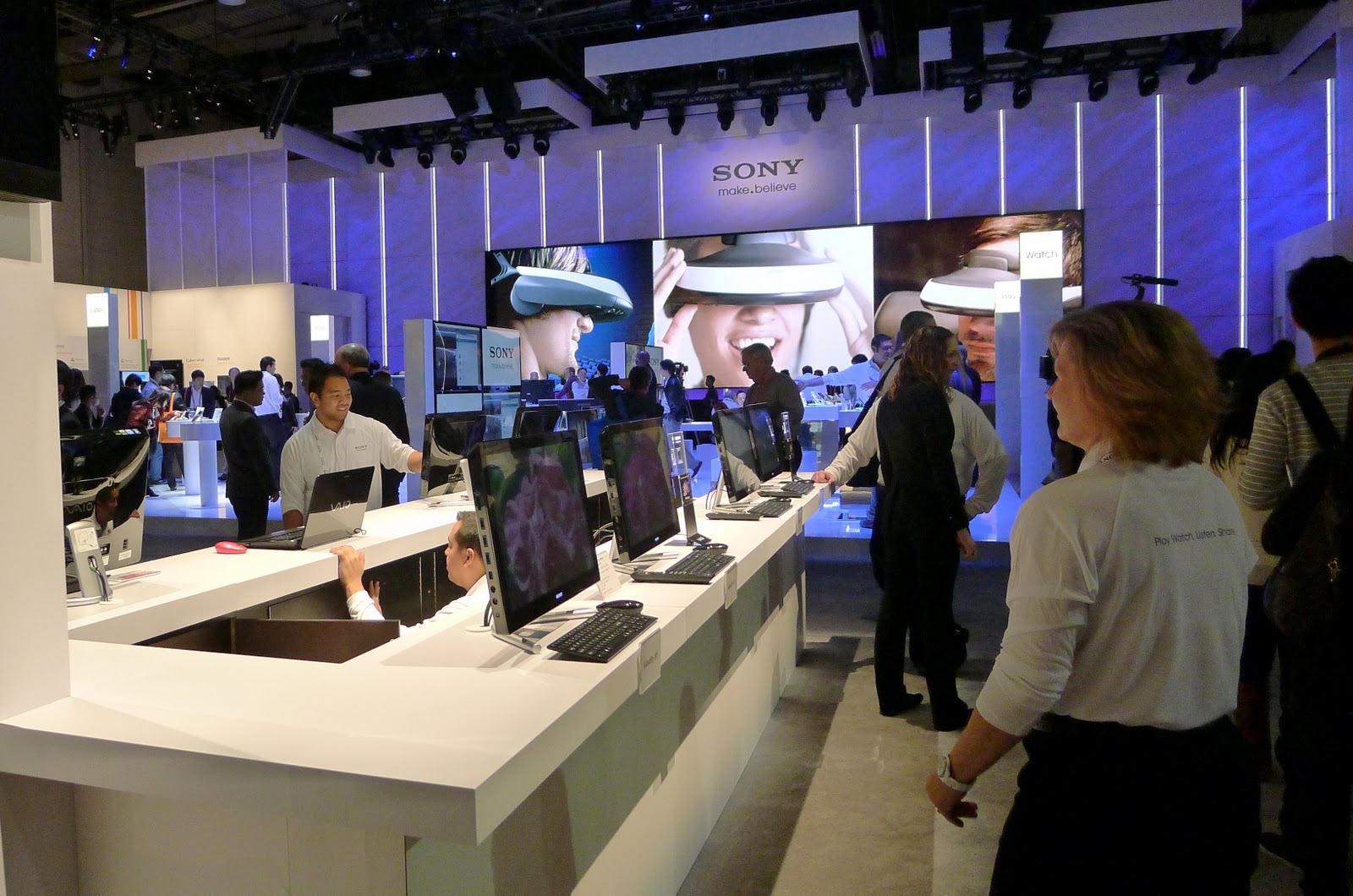
Highlights from Microsoft's final Keynote with Steve Balmer,  Sony booth highlights,

best of CES awards from CNET,  Mashable CES videos,  Walt Mossberg on Fox Business,

and Walt Mossberg walking the floor at CES


Sunday, November 27, 2011

The Basics of 3D


Did you ever wonder how 3D works?   How do images come out of the screen or move behind it?   What do the glasses do?   Why do some have colors and others look like sunglasses?

3D is fascinating because it involves trickery of the brain.

Most people have what is known as binocular vision to perceive depth and see the world in 3D.   The separation between our two eyes cause each eye to see the world from a slightly different perspective.   The brain merges these two views together. From the difference between the two images the brain can calculate the distance of each object.  So, 3D, or “stereoscopy,” refers to how your eyes and brain create the impression of a third dimension.

A simple way to understand this principle is to hold your thumb up at arms length and closing each eye alternately while looking at your thumb.    As you switch between open eyes you should see your thumb “jumping” back and forth against the background.  

You’ll notice that the angle from which you’re viewing the thumb changes and that you can see different parts of the thumb depending on which eye is open. In a sense you are seeing two different images of the thumb.

When you view the thumb with both eyes you are still seeing two images but your brain makes one image. This allows your brain to understand that the object has depth.

Now that we understand why we perceive in 3D, it follows that for any display technology to be able to trick your eyes into believing that you are viewing a 3D image, it will need to provide a slightly different image for viewing to each eye via some technological trickery.

In general, for 3D movies and TV broadcast, the left and right image as captured by a “stereoscopic” camera is projected or displayed simultaneously, then glasses or filters are used to feed your individual eyes different perspectives of the same image to create a sense of depth of the real life image.  Stereoscopic camera’s are either  two cameras mounted on a rig  or two lenses on one camera or two cameras that operate out of the same lens, but spit the image inside the camera using tiny mirrors.


There are several different types of 3D viewing systems with associated glasses:


Color filter glasses (Anaglyph)

Color filter glasses are one of the oldest methods of viewing 3D images or movies (first developed in 1853).  It is based on the idea of splitting an image into 2 by taking only the red colors of an image for the left and the blue color for the right eye.
Both sub images, which show the scene from different perspectives, are combined and displayed on the monitor or screen at the same time
Again, the system works by feeding different images into your eyes. The different color filters allow only one of the images to enter each eye, and your brain does the rest. There are two color filter systems: Red/Blue and Red/Green.   This technique, however, didn’t allow for a full range of color and had a tendency to “ghost,” or have the once-distinct images bleed into one another (not to mention it was more apt to provide headaches and nausea).

Polarizing glasses (Passive, not electronic, glasses)

This method is more commonly used in today's 3D movie projections, such as the Real D and IMAX 3D systems. The audience must wear special glasses which have two polarizing lenses which have their polarization directions adjusted to be 90 degrees different. This makes is possible that left eye sees it's picture without problems but everything sent to right eye (sent out at different polarization) seems to be black. Same applies also to right eye.      Stereo 3D film theaters use special silver-coated screens that are much better at reflecting light back to the viewing audience.  

LCD shutter glass (Active, electronic, glasses)

In the LCD shutter glass 3D display, the glasses are synced up to your television and actively open and close shutters in front of your eyes, allowing only one eye to see the screen at a time. The active shutter glasses are maintained in sync with the television set using bluetooth, infrared or radio technology.  The LCD’s can be made opaque thus acting as a shutter. The shutters move so quickly that the switching is  hardly noticeable . These shutter lenses are made possible because of the refresh rate on televisions. 3D-enabled televisions have high image refresh rates (typically 120 or 240 Hz), meaning the actual image on screen is quickly loaded and reloaded. Through the glasses, you receive one constant image instead of a flicker.   The downside is that the glasses are expensive and require batteries.


Where Stereo 3D becomes interesting is in learning how to manipulate these images on screen for creative effect. How do you make objects appear as though they are coming out of the screen towards you or make the actor appear to be in front of an object?
Simply put, your mind has a number of depth cues. These are signs that tell the brain that there is a measurable distance between objects. These have been manipulated by filmmakers for years. Focus is the easiest to understand. If something is in focus and the objects around it are out of focus then your brain can understand that there is a distance between these objects.

By altering the distance between each image we can control how far forwards and backwards they appear to be. If we move images closer together on screen it forces your eyes to focus as though they are closer, while if we move these images further apart your eyes focus as though they’ve become further away. Too much manipulation either way and the viewing experience becomes very uncomfortable. 

The eight depth cues
Humans have eight depth cues that are used by the brain to estimate the relative distance of the objects in every scene we look at. These are listed below. The first five have been used by artists, illustrators and designers for hundreds of years to simulate a 3D scene on paintings and drawings. The sixth cue is used in film and video to portray depth in moving objects. However it is the last two cues that provide the most powerful depth cues our brains use to estimate depth.

Combining depth cues
If many of these depth cues combine they can offer a very strong sense of depth. In this picture you will find perspective, lighting and shading, relative size, and occlusion which all combine to produce a very strong sense of depth in the picture.

1. Focus
When we look at a scene in front of us, we scan over the various objects in the scene and continually refocus on each object. Our brains remember how we focus and build up a memory of the relative distance of each object compared to all the others in the scene.

2. Perspective
Our brains are constantly searching for the vanishing point in every scene we see. This is the point, often on the horizon, where objects become so small they disappear altogether. Straight lines and the relative size of objects help to build a map in our minds of the relative distance of the objects in the scene

3. Occlusion
Objects at the front of a scene hide objects further back. This is occlusion. We make assumptions about the shape of the objects we see. When the shape appears broken by another object we assume the broken object is further away and behind the object causing the  breakage.

4. Lighting and shading
Light changes the brightness of objects depending of their angle relative to the light source. Objects will appear brighter on the side facing the light source and darker on the side facing away from the light source. Objects also produce shadows which darken other  bjects. Our brains can build a map of the shape, and relative position of objects in a scene from the way light falls on them and the pattern of the shadows caused.

5. Color intensity and contrast
Even on the clearest day objects appear to lose their color intensity the further away that they are in a scene. Contrast (the difference between light and dark) is also reduced in distant objects. We can build a map in our minds of the relative distance of objects from their color intensity and the level of contrast.

6. Relative movement
As we walk through a scene, close objects appear to be moving faster than distant objects. The relative movement of each object compared to others provides a very powerful cue to their relative distance. Cartoonists have used this to give an impression of 3D space in animations. Film and television producers often use relative movement to enhance a sense of depth in movies and television programs.

7. Vergence
Vergence is a general term for both divergence and convergence. If we look an objects in the far distant both our eyes are pointing forwards, parallel to each other. If we focus on an object close up, our eyes converge together. The closer the object, the more the convergence. Our brains can calculate how far away an object is from the amount of convergence our eyes need to apply to focus on the object. Film and video producers can use divergence as a trick to give the illusion that objects are further away, but this should be used sparingly because divergence is not a natural eye movement and may cause eye strain.

8. Stereopsis
Stereopsis results from binoccular vision. It is the small differences in everything we look at between the left and right eyes. Our brains calculate which objects are close and which objects are further away from these differences.  The example we used earlier of the “jumping thumb” is a demonstration of stereopsis.

Glassless Television Displays (Autostereoscopic)

Autostereoscopic is essentially any display that does not require glasses to view the image in 3D.   The Nintendo 3DS, Nintendo’s newest portable 3D gaming device, is one such device. One of its tricks is syncing a lenticular display with its forward-facing camera. This method relies on a display coated with a lenticular film. Lenticules are tiny lenses on the base side of a special film. The screen displays two sets of the same image.  By using eye recognition, it can track where the user’s face is and shift the display to accurately display 3D no matter how the user views the screens.

Autostereoscopy will develop on handheld devices before it heads to large format screens.  Other “glassless” products for 3D include mobile phones, laptops, cameras and camcorders.


Autostereoscopy relies on the use of special optical elements between the television screen and the viewer so that each eye of the viewer receives a different image thus producing the illusion of depth. This can typically be achieved in flat panel displays either using lenticular lenses or parallax barriers.


One of the downsides of both lenticular and parallax-barrier screens is if you move your head, or get too close or far away from the screen, the effect breaks down. Displays like this work reasonably well in portable devices like the Nintendo 3DS and Sony's TD10 because their screens are small, but scaling up is very expensive. 


Another issue is that both lenticular and parallax-barrier screens reduce overall image resolution, which has unpleasant consequences for the image quality of 2D footage. To compensate, any future big-screen autostereo TVs will need to have a much greater resolution than today's HD models.


3D Production Challenges
3D production techniques and the associated complexity would also require another long post.   

The stereographer is a new vocation in film, television and video games production. This person will monitor material from one or more 3D camera rigs and check that the 3D image is correctly aligned and positioned in the 3D space. The stereographer will also ensure that the 3D image is kept within the allocated depth budget throughout post-production.  


Suffice it to say it is easy to produce “bad” 3D.  Two proponents of producing “good 3D” and evangelizing on the techniques to do so are Steve Schkair and Vincent Pace.

Click on this link for an interesting video interview with Steve Schklair who talks about what difference filming the Hobbit 3D at 48 frames per second will make, new 3ality Digital technology to enable fast 3D cutting, a large 3D movie project in Russia and how 3D technology has changed since 3ality Digital’s U23D production.


Thursday, October 27, 2011

IT Leadership Conference At Interop NY 2011 - Part 1


My colleague, Kyle Knack, recently attended an IT Leadership track at Interop in NYC.
Interop is billed as the Leading Business Technology event dealing with subjects like Cloud Computing, Virtualization, Network Security, Mobility and Data Centers. 

Kyle is a network systems, storage and server expert who’s built an impressive team handling the design and deployment of our media and publishing infrastructure at National Geographic.   His thoughts from the IT Leadership conference are worth sharing.  

Professional development opportunities like this are not only educational and motivating, but they get us out of the day to day grind (albeit for a short period) and give us the ability to think about the big picture.  Below is Kyle’s summary:

Bottom of Form

 IT Leadership Conference At Interop NY 2011 - Part 1

      I had the opportunity to attend a two-day IT Leadership conference at
the Interop conference in NY early last week, hosted by a panel of
past and present Fortune 100 CIOs and IT executives.  During the
intensive workshop we were immersed in panel discussions, Q&A,
stories, trends and more.  Part 1 of my report will be a common
element of all of the speakers - value and innovation in IT.

      The seasoned vets all had one common message about what a world class
organization needs to do to be successful - bring value to the
business through IT products and IT innovation.  And more often than
not, the two go hand in hand.  So what does value in IT mean anyway ?
We defined value as the contribution IT makes to improving a companies
products and services, and thus the bottom line, above and beyond the
day to day operations.  Although that seems like a simple concept,
it's often overlooked in many organizations due to a disconnect
between the business owners (and ultimately the CEO/President/CFO) and the
IT management.  As an IT executive, just ask yourself this question - What have
you done in your tenure (besides adding servers, network, etc) to grow the
front-end business, suggest and bring new products to market, or
otherwise bring new value to the organization?

      So what does it take to produce business value in IT ?  Organization
and innovation.  Organization is an important factor, which we'll
cover in part 2.  So let's dive into innovation.  We all know today's
IT landscape - too much work, too little time, not enough resources,
not enough budget, the list is endless.  But let's pretend none of
those exist.  At that point, much like say Shell Oil or Boeing,
innovation becomes the key consumer of resources.  Now in reality, 95%
of IT organizations have to worry about those afore mentioned factors,
but without focusing some dedicated resources on innovation and
problem solving they will be forever treading water.  And innovation
is two-fold.  It helps the IT organization, by having a dedicated
staff to address key issues internally without interrupting day to day
operations.  But it also helps the business by having key staff
focused on new and up-and-coming technologies, giving the organization
a valuable advantage above its competitors.  And there's that magical
word - value.

      Now bear in mind, not all organizations are large enough to go off
and create a whole unit tasked with R&D.  But that doesn't mean there
isn't still opportunity to get into the mindset of growing the
business from the backend.  It could be as simple as bi-weekly tech
sessions, where IT staff meet with business owners to understand their
challenges and share their own ideas.  Or it could be a more elaborate
program where certain IT staff dedicate some of their time each
day/week/month to non-operational tasks.

      The takeaway here is we should start considering the value we receive
from our technology, where we can improve the business through technology,
and how IT in general can help drive the front end of the business to reach our
organizational goals.
--
Kyle Knack
Director, Infrastructure Systems
National Geographic Global Media